User tasks and forms#
What if we need to have humans in the loop?
User tasks#
Until now, we have been learning BPMN 2.0 modeling with plain  Undefined task activities and automated
  Service task activities. These are good enough for designing processes and implementing straightforward testing and automation flows, but they don’t add much compared to other automation or orchestration solutions. Not everything can be fully automated at once, and there are often good reasons to keep humans in the loop. In BPMN, this is possible with
  User task.
Remember the first sequence flow example:

With user tasks, it would look like this:

In the modeler, use the Change element tool (wrench icon) to change the existing task activities to user task activities.
Pools#
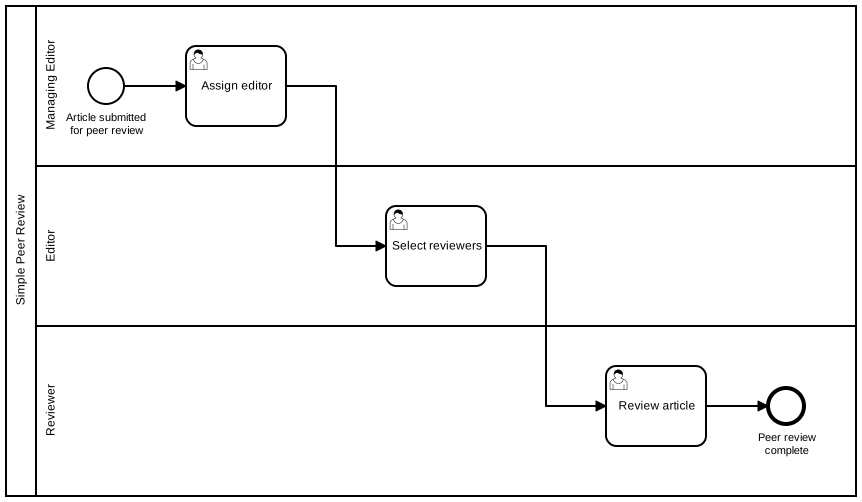
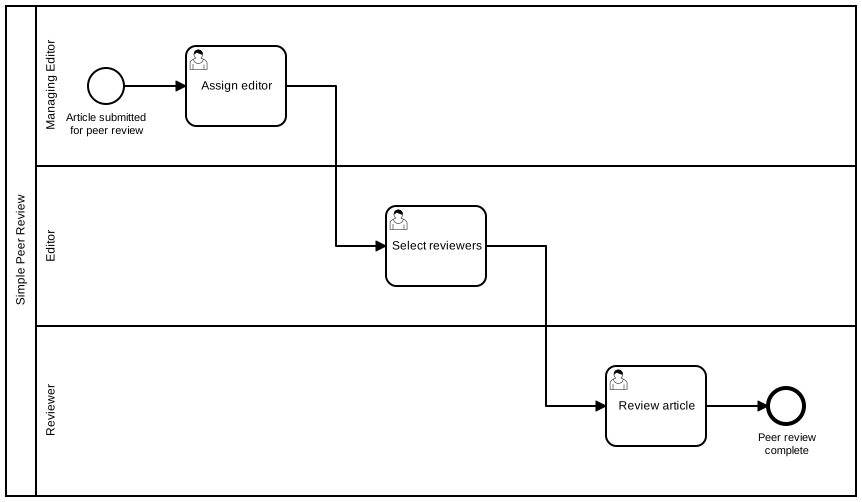
Not all users are equal. It’s common for different people to be responsible for completing different tasks. BPMN 2.0 defines two concepts for grouping user tasks by their respective domain-specific user roles: vertical lanes and horizontal pools. Unfortunately, our modeler supports only pools.
This is how our simple example looks with pools:
Warning
Pools and lanes are purely visual — they do not affect how BPMN engines interpret or execute a process.
Many modelers prefer to omit them to keep diagrams cleaner and easier to read; in particular, pools can disrupt a straightforward left‑to‑right “happy path” layout.
Assignments#
From this point forward, behavior depends on the process engine used. The Playground provides the free, open-source BPMN and DMN execution engine Operaton BPM, which is a fork of the discontinued Camunda 7 CE.
In our engine, user tasks are not automatically assigned to the correct users; they must be mapped either using fixed values or variables.
Properties panel#
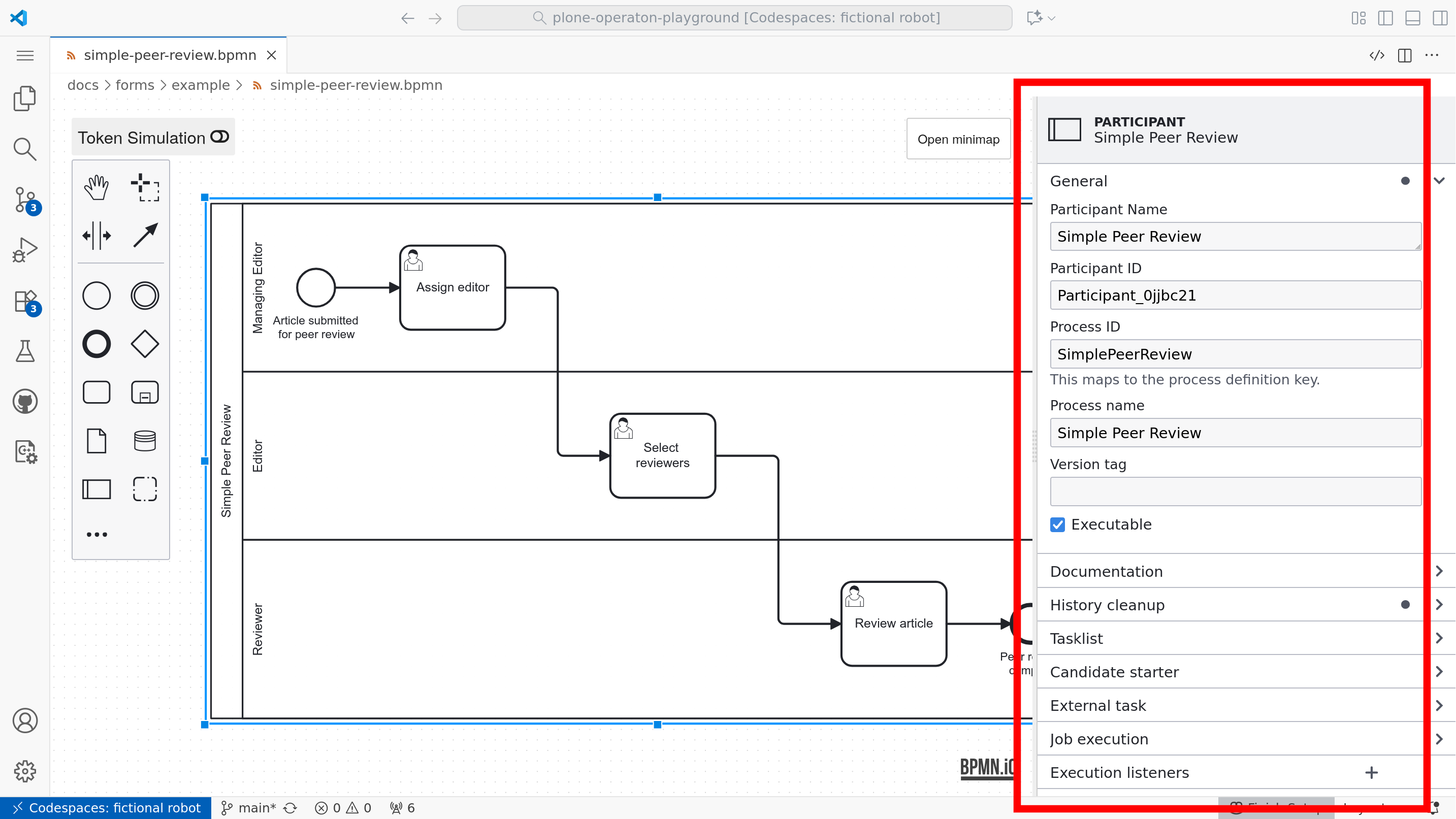
Although the symbols and flow control are defined by the standard, execution details depend on engine-specific attributes in the model XML. For Operaton, these can be set using the properties panel.
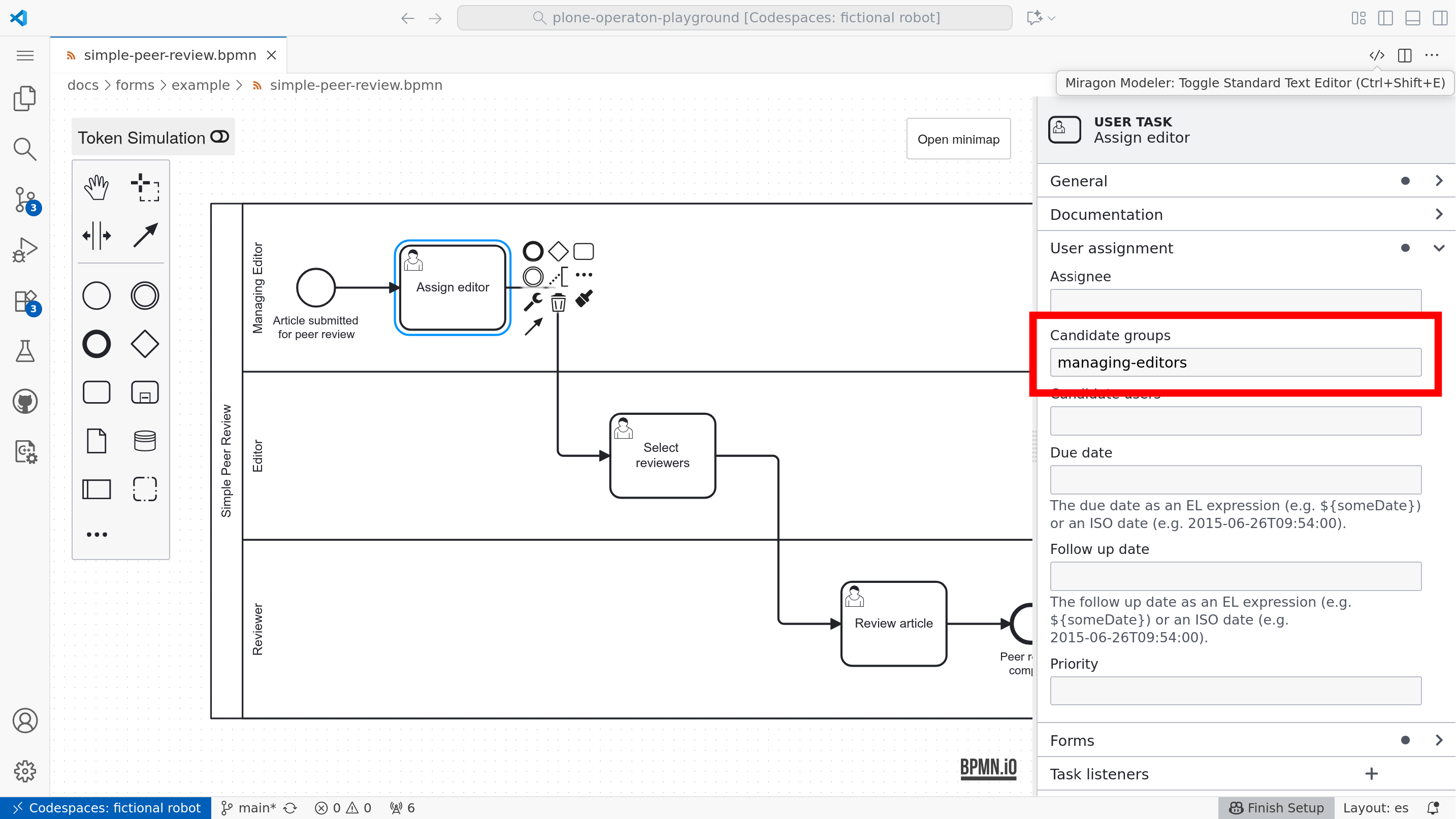
Candidate groups#
Candidate groups are groups of users who will be able to see, claim, and complete the task.
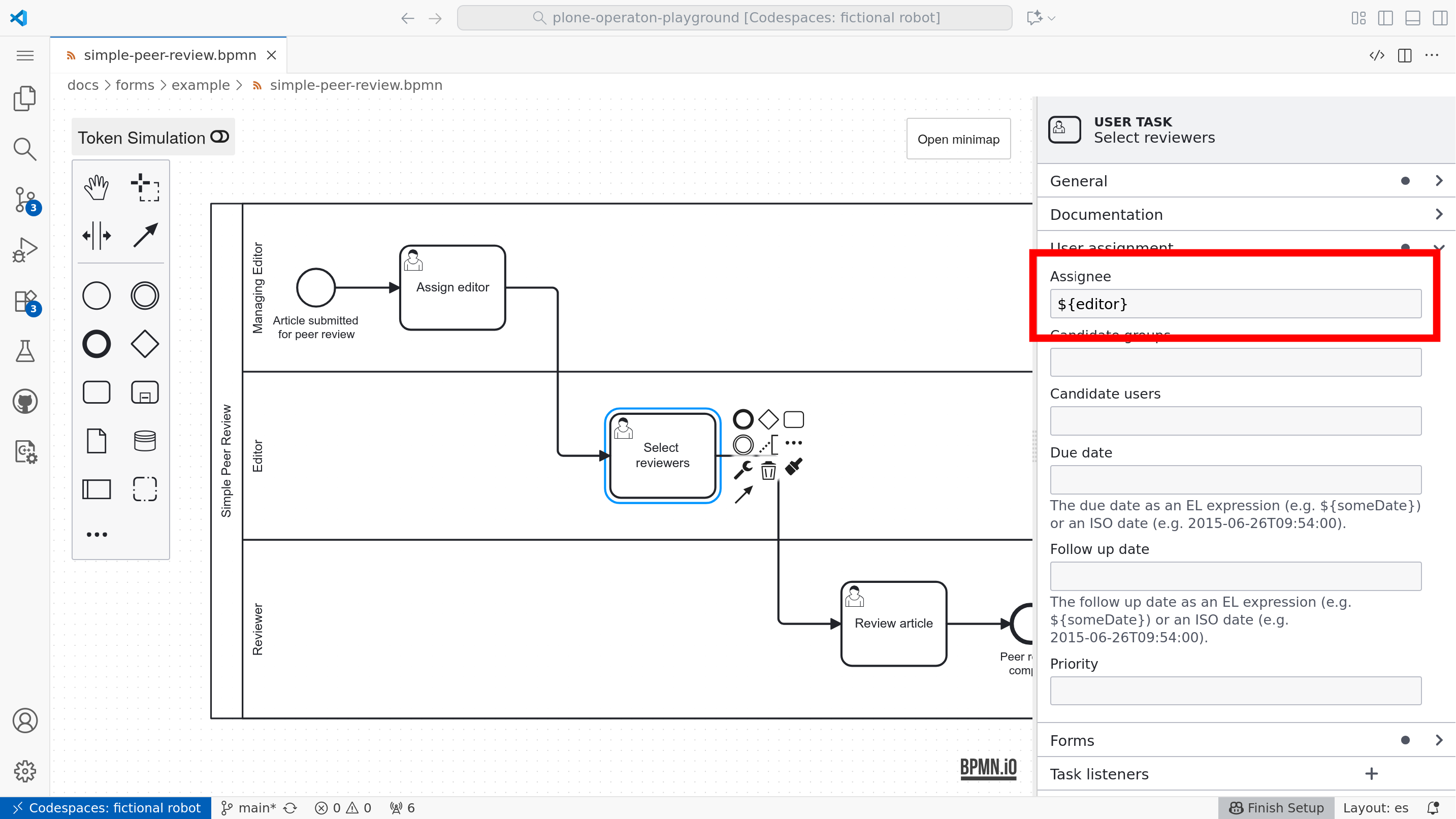
Assignee user#
A task can also be automatically claimed for a single specific user by setting the assignee.
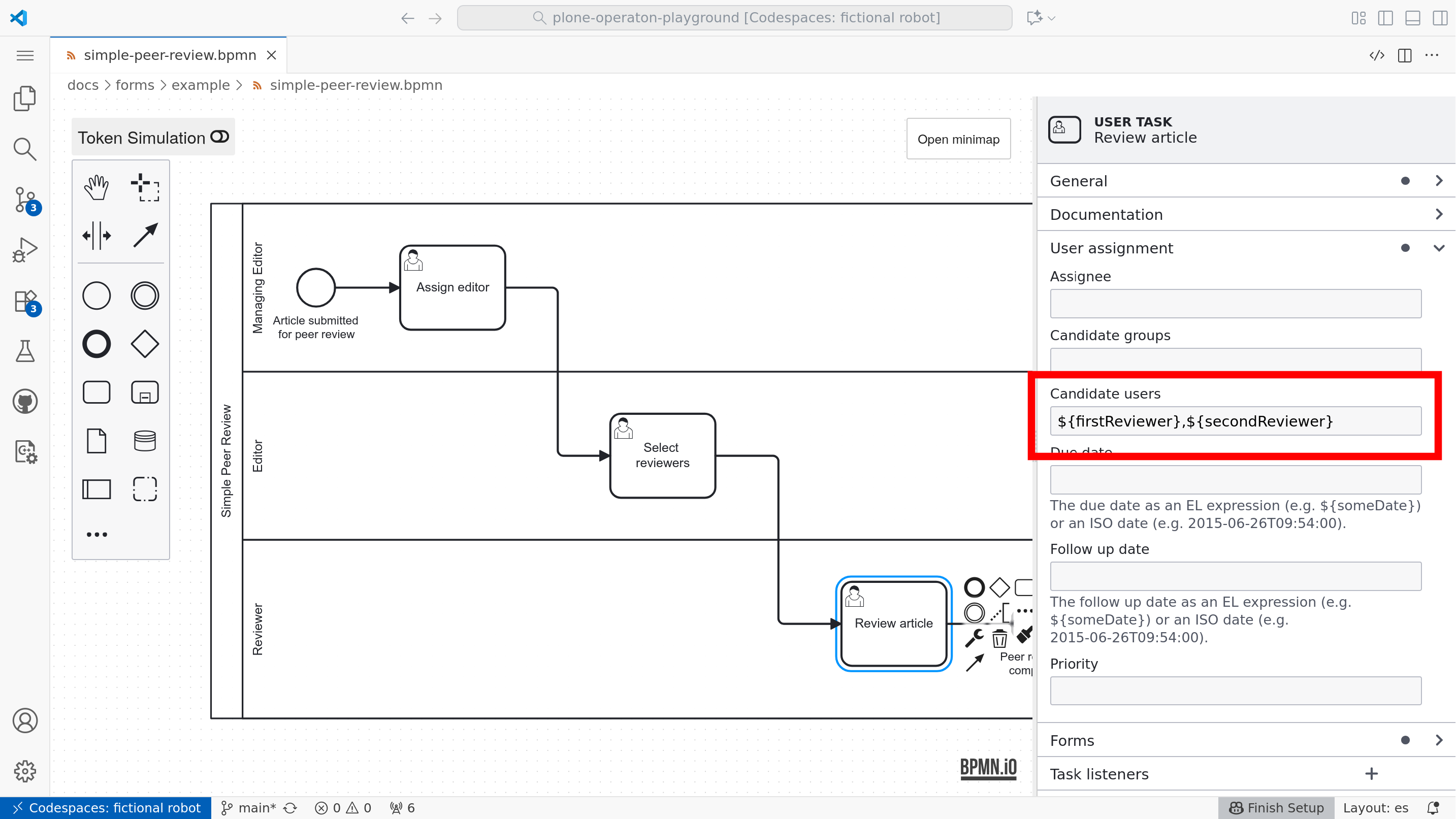
Candidate users#
Candidate users are a list of specific users who will be able to see, claim, and complete the task.
Forms#
The most common way to let an end user complete a user task is to present a form. For external BPMN engines, it’s also common to build custom front‑ends that use familiar or widely adopted form libraries.
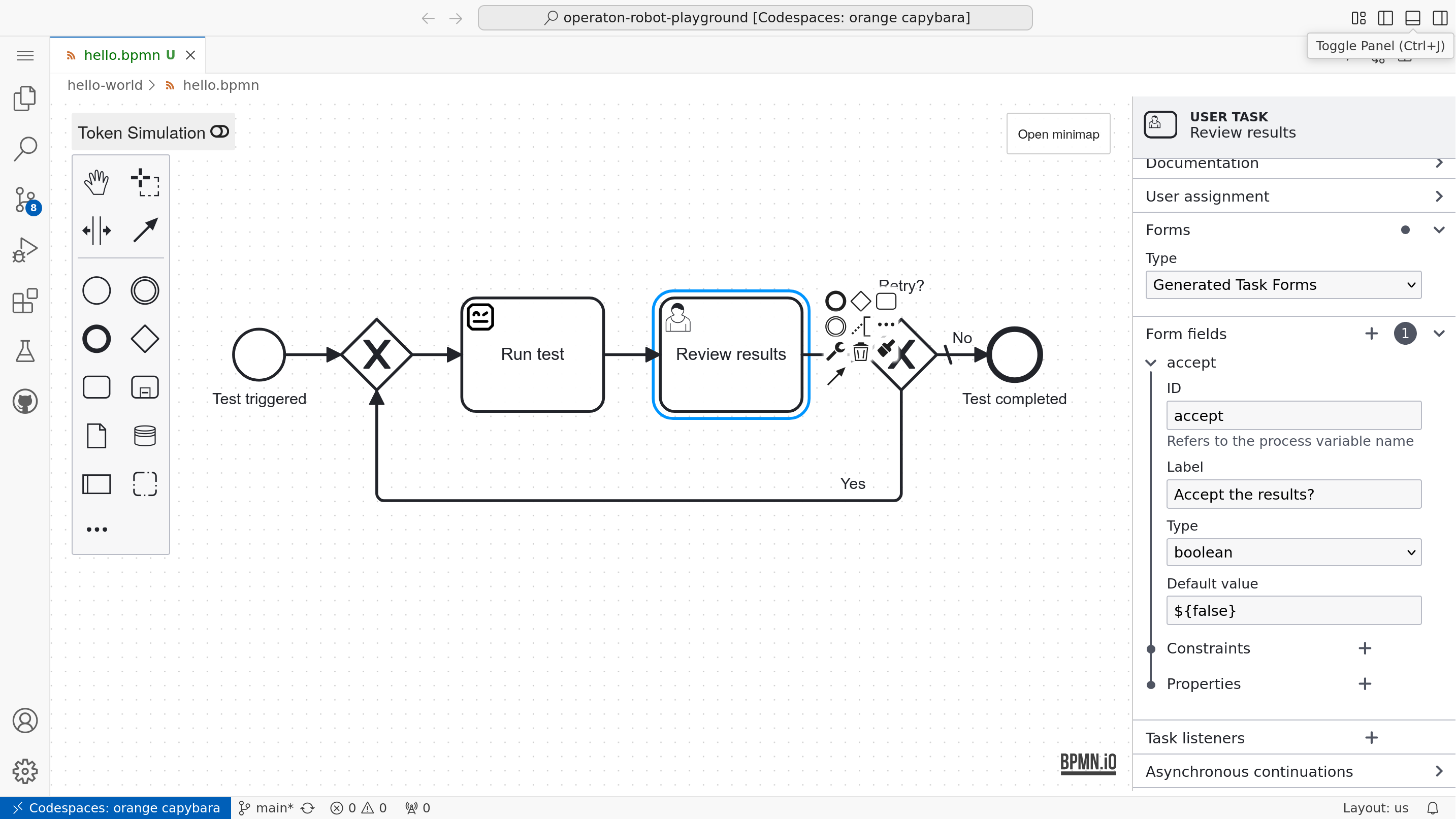
Simple form definitions for Operaton can be defined directly in the BPMN model using so-called Generated Task Forms. They have limited features and no automatic layout, but they’re quick to define for simple inputs.
In the playground, you can also model user task forms with @bpmn-io/form-js, a form library maintained by bpmn.io (a project by Camunda). The bpmn.io libraries are distributed under a custom license bpmn.io/license that is similar to MIT but requires a visible watermark linking to bpmn.io.
Note
There is no standard for defining user task forms, but most of the technology is dictated by the chosen user interface.
Form Playground & Editor#
The playground includes the Opinionated Form Modeler (datakurre.vscode-operaton-form-js-modeler) extension, allowing .form files to be created and edited interactively inside VS Code. The underlying component is based on @bpmn-io/form-js and form-js-playground:
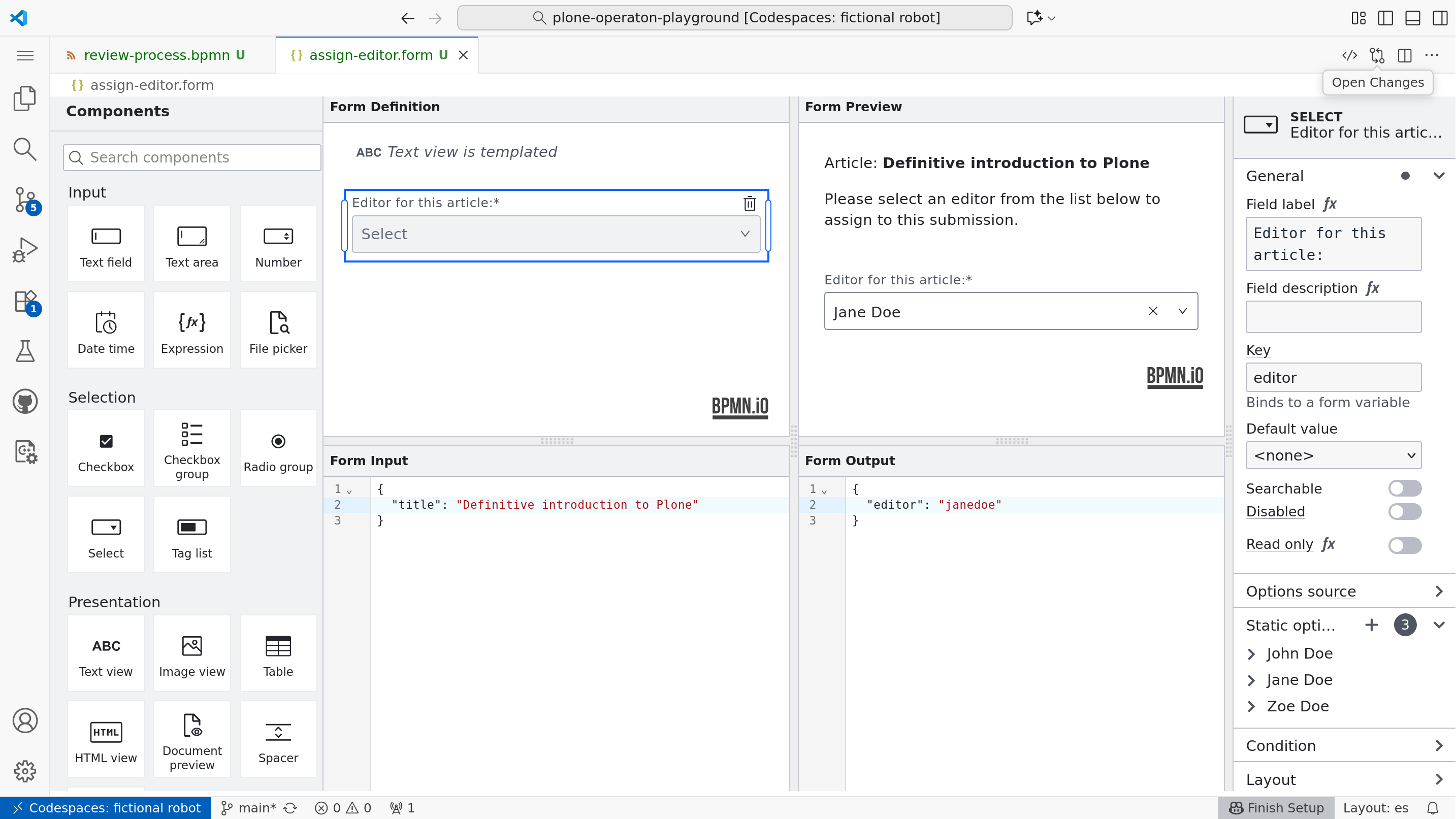
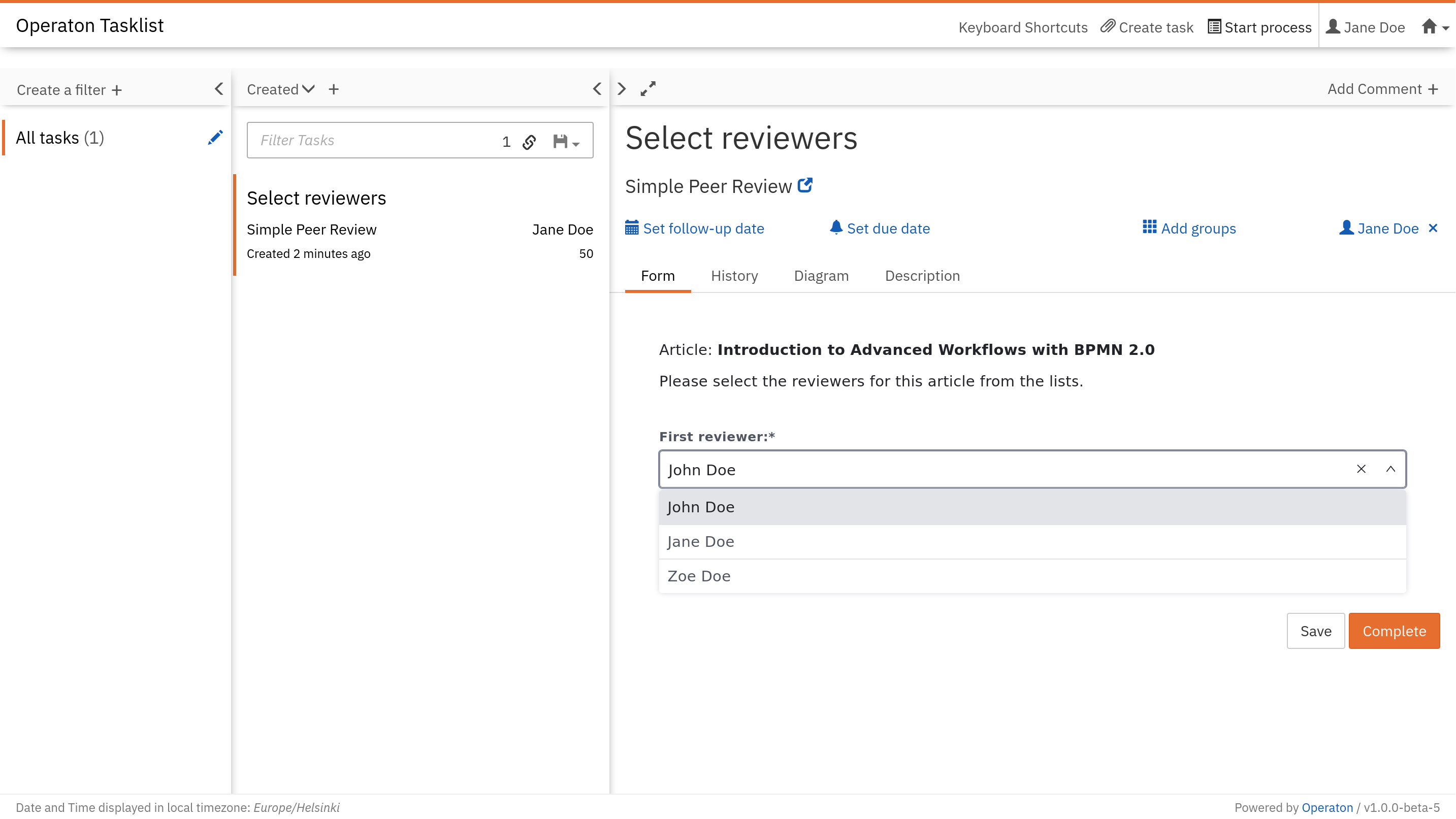
Operaton Tasklist#
These forms are also supported by default in the current version of Operaton Tasklist:
Bindings#
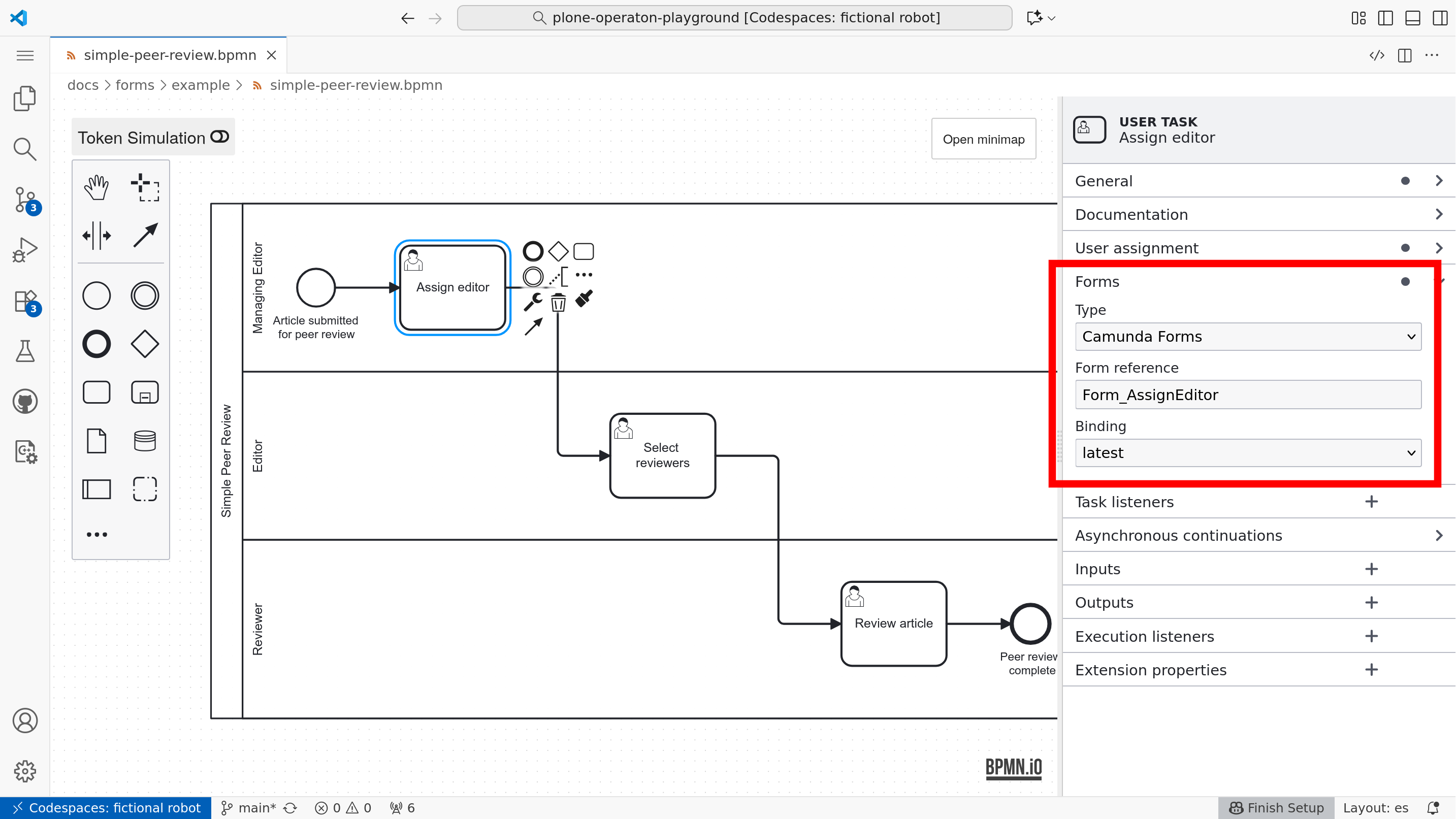
For historical reasons, bpmn.io forms may still be called “Camunda Forms”, as is the case in our modeling tool. Forms are bound to tasks by choosing the type “Camunda Form” and setting the “Form Reference” to the form ID specified in the form editor.
Demo#
The following demo can be deployed into the running playground (after make start) with:
pur operaton deploy docs/forms/example/*
Forms#
Start event:
./example/simple-peer-review.formAssign editor:
./example/simple-assign-editor.formSelect reviewers:
./example/simple-select-reviewers.formReview article:
./example/simple-submit-review.form